
Using Groundwire
Managing Call Recordings
Some countries impose laws and regulations on recording calls. We recommend that the users get consent from the call participants before recording the call.
Go to the Call Recording Options section to learn about call recording settings.
Retrieving Call Recordings
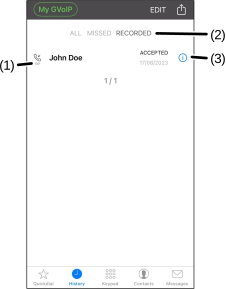
Once the calls are recorded, the users can retrieve them in the History tab.
- Select the History tab.
- (Optional) Select Recorded calls (Android devices) or RECORDED (iOS devices) (2) to sort calls with a recording. The Recording
 icon (1) denotes the call log has recording(s).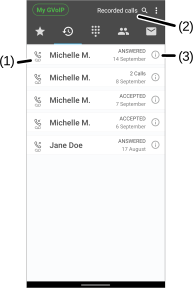
- Select the Information
 (3) icon beside the name or phone number you want to retrieve the recording.
 - Select the Play Record
 (4) icon to listen to the recording.
 - (Optional) To configure the recording:
Was this guide helpful?