
Using Groundwire
Marking Conversation as Read
Set unread messages as Mark as Read to get rid of notifications without deleting them.
- Select the Messages tab.
- Select and hold the conversation(s) (1) that has unread messages.
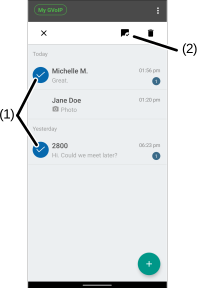
- Select the
 (2) icon.
 - (Optional) To mark once and all unread messages as read, select
 > Mark all as read (3).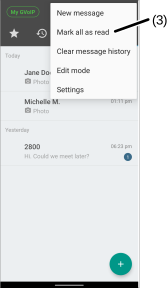
- Select the Messages tab.
- Touch EDIT.
- Select the conversation(s) (1) that has unread messages.
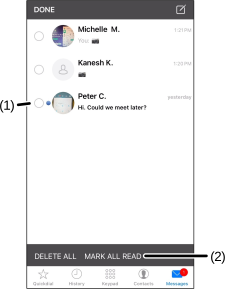
- Select MARK ALL READ (2).
Was this guide helpful?