


Branded calling for your PBX
Softphone for Open Source SIP Platforms
You chose open source to own your stack. Acrobits adds the app on top, a standard SIP client in your name that rings through reliable push, even on a locked screen.
Migration Strategy CallSchedule a Migration Strategy Call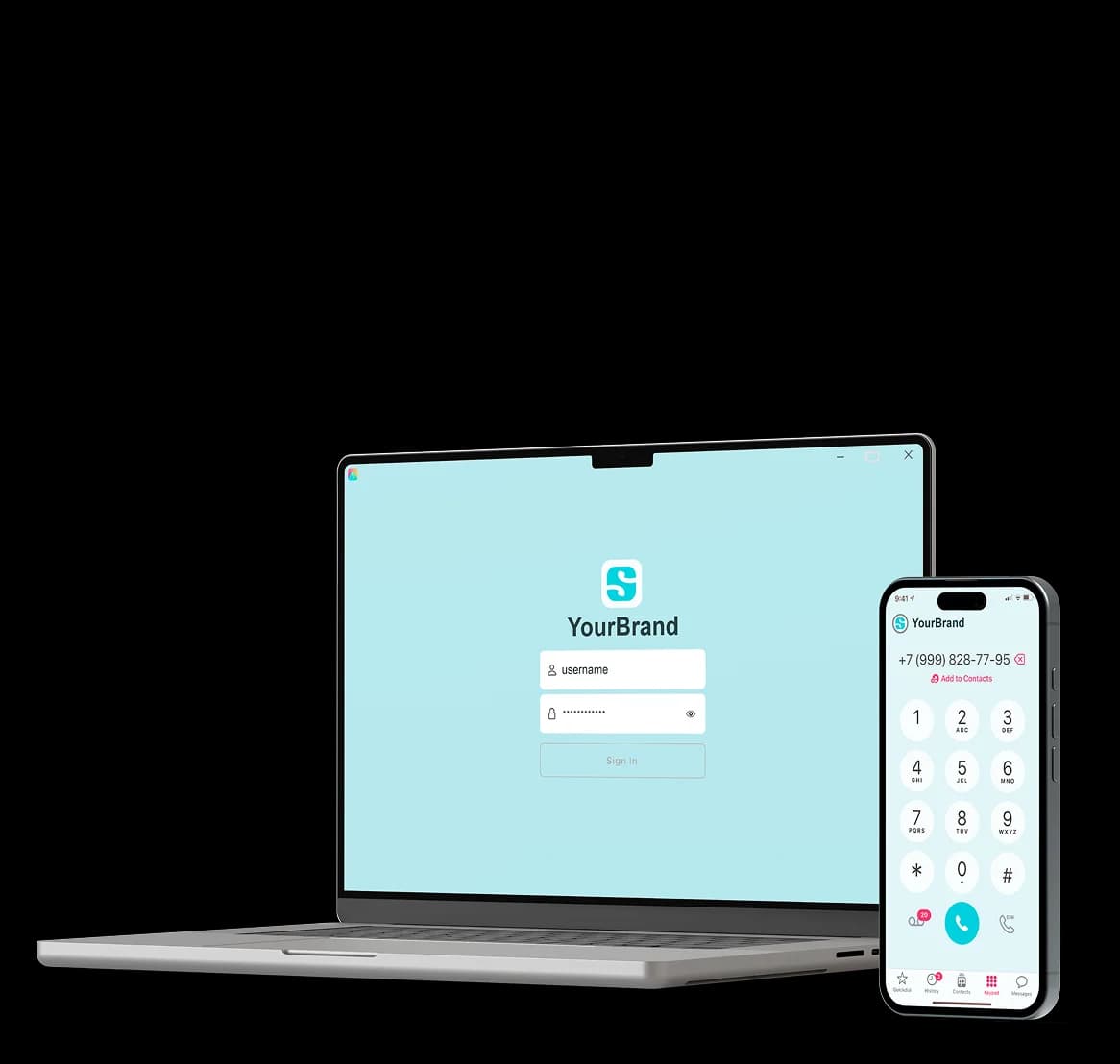
A softphone compatible with every major open source PBX
Whichever one you run, the app connects over plain SIP, as it does to any switch that follows SIP standards.
ITSPs, MSPs, integrators and in-house IT give every extension a branded app that rings.
Softphone for AsteriskLarger ITSPs, CPaaS and contact centre builders onboard users at volume.
Carriers, wholesale and large ITSPs add push and a branded client to the proxy they run at scale.

SMB resellers, MSPs and IT shops swap a paid mobile module for an app in their own name.

Multi-tenant hosted PBX operators roll one white-label app out to every tenant.
Carriers, wholesale and large ITSPs add push and a branded client to the proxy they run at scale.
Your switch stays exactly as it is
SIPIS keeps each phone registered for it, so your switch sees one ordinary SIP endpoint. Call audio never touches SIPIS.
- Works with the switch you run today, on your own upgrade schedule.
- Your dialplan, routing, CDRs and billing apply to every app user.
- Hosting is your call: we run SIPIS and push, or you run SIPIS yourself.
- Standard SIP over UDP, TCP or TLS.
A SIP client built to fit your switch
Encryption, audio and sign-in match on every platform. User setup follows your platform's own tools.
| Platform | The problem we solve | How your users connect |
|---|---|---|
| AsteriskApplication server | The problem we solveMobile apps that miss calls, and no app with your name on it. | How your users connectEach app user is an extension, routed by the dialplan you already run. |
| FreeSWITCHApplication server | The problem we solveThe same, plus onboarding tenants at volume. | How your users connectEach app user is a directory user, registered through your SIP profile. |
| FreePBXGUI on Asterisk | The problem we solvePaying for a commercial mobile module that still isn't your brand. | How your users connectAdd each app user from the Extensions page, like any other extension. |
| FusionPBXGUI on FreeSWITCH | The problem we solveRolling an app out tenant by tenant, with no white-label path. | How your users connectCreate each app user inside the domain it belongs to. |
| KamailioSIP proxy | The problem we solvePush at scale, registration load, and no client to ship. | How your users connectThe app registers through your registrar and location table like any SIP device. |
| OpenSIPSSIP proxy | The problem we solvePush at scale, registration load, and no client to ship. | How your users connectThe app registers through your registrar and location table like any SIP device. |
How it works
SIP push notifications, handled end to end
Trust SIPIS with the phone side of each call, and keep your focus on the switch.
- 1Download
Your name in the App Store and Google Play
Own the customer relationship, from the store listing to every update after launch.
- 2Scan
Sign in with a QR code or a link
Provision each user's account with host, credentials and transport already filled in.
- 3Ring
Calls that ring a sleeping phone
Built-in push that has kept phones reachable since 2009.
- 1The app moves to the background, and SIPIS takes over its registration
- 2SIPIS registers with your switch as a standard SIP endpoint
- 3Your switch sends an incoming call to SIPIS as a normal INVITE
- 4SIPIS fires a push through APNs or FCM, which wakes the phone
- 5The app connects back and SIPIS relays the signalling
- 6RTP flows between the handset and the far end, never through SIPIS
Your switch accepts SIP from your users' handsets and from SIPIS, and your source rules keep guarding everything else.
Why Cloud Softphone?
What your subscribers get, and what your team stops doing
Setup your users never see
A QR code, a login, or your own sign-in service that hands the app its settings. With a QR code or your service, nobody types a SIP password.
Managed from your portal
A softphone you run from one place: settings, speed dials and contacts per user, updated remotely, SIP passwords kept out of sight. Fewer setup mistakes, fewer tickets.
Your brand, your app
Your logo, colors, name and navigation in the App Store and Google Play, under your developer account. You decide which features show.
Desktop and mobile softphone apps
One build across iOS, Android, macOS and Windows. USB and Bluetooth headsets on desktop, and several accounts at once when you provision it that way.
Built and maintained for you
We connect a working app to your switch and own the maintenance from there. We build against each iOS and Android beta and ship on day one.
Security and compliance
TLS and SRTP encryption, enabled per deployment, with ZRTP where the media path allows it. HIPAA and GDPR-friendly configuration, and emergency calling through your SIP service.
Three ways to bring calling to your stack
Each one runs on the SIP core you already have.
Take our app
Cloud Softphone under your name, set up in a web portal. The fastest way into the stores.
Build on our SDK
Adds SIP calling to your own iOS or Android app, with push through SIPIS or your own backend.
Run SIPIS in your own network
Run SIPIS on your own servers, so registrations start inside your network, on either route.
White label softphone pricing, billed per active user
Clear pricing that tracks real use, counted from the SIP registrations your users make each cycle.
A one-time setup fee and a monthly platform fee for each app
One mobile price per SIP-ID, whether that user signs in on one phone or three
A separate per-user price for the Mac and Windows desktop apps
A free proof of concept on the released app before any payment
See the softphone at work before you decide
Your users' app, already talking to your switch.
How long does it take to go live in the app stores?
From the discovery call to your app live in the App Store and Google Play.
- 1
Discovery call
We map your switch, your transport and how your users sign in.
- 2
Free proof of concept
The released app calls through your switch on two of your test accounts.
- 3
Customization
Branding and features set in the Cloud Softphone portal, provisioning pointed at your service.
- 4
App store submission
We review the app, then it goes to Apple and Google under your developer accounts.
- 5
Go live and support
Your users sign in and start calling; you manage them from the Cloud Softphone portal.
Apple and Google set their own review times; Acrobits checks your app against their guidelines before it goes in.
Softphone FAQs for open source PBX operators
Short answers for the people who run the switch.