Overview
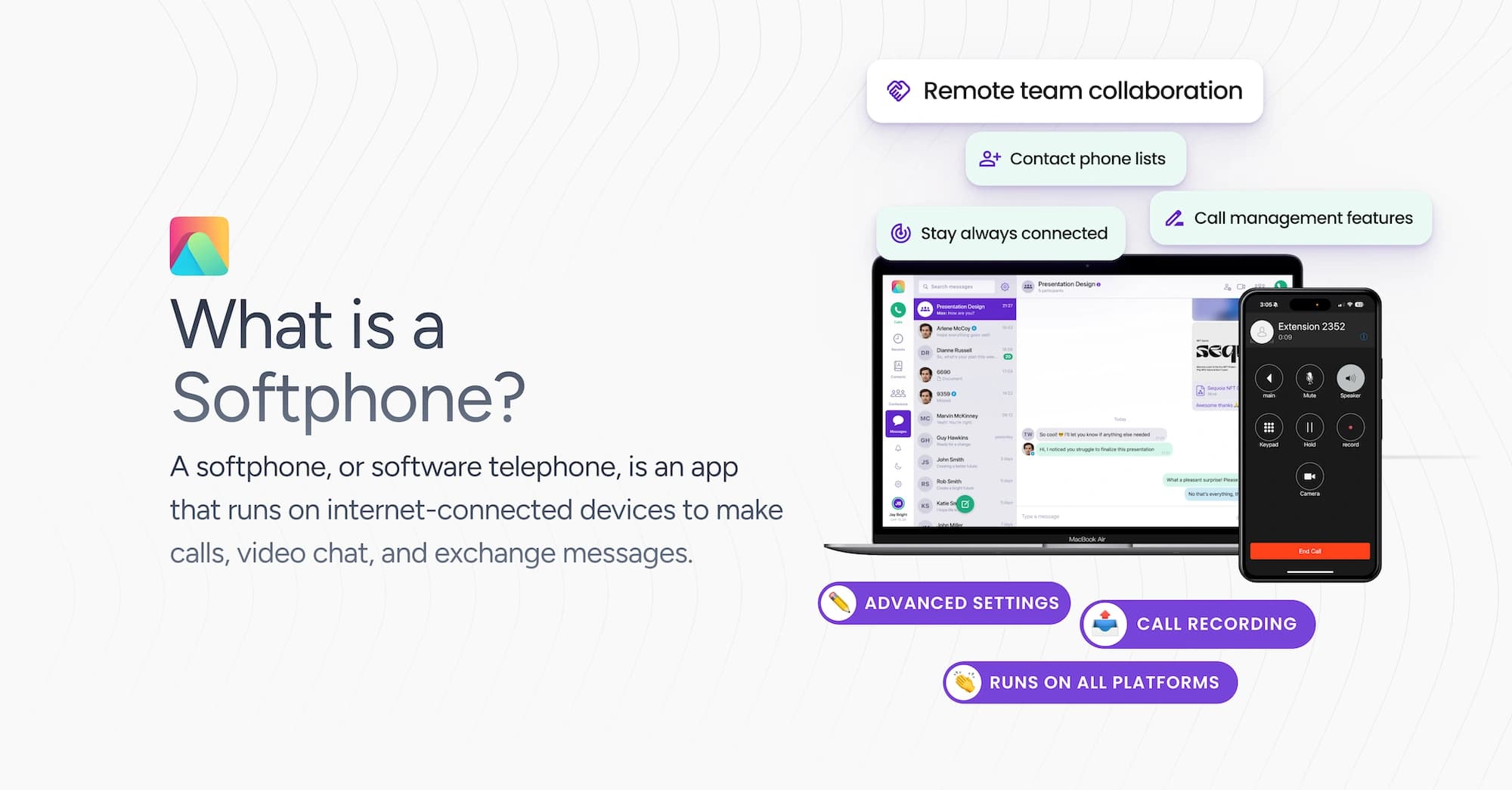
A softphone, or software telephone, is an app that runs on internet-connected devices (computers, smartphones, etc.) to make calls, video chat, and exchange messages. They come in several types (UCaaS suites, business-grade softphones, simple dialers, white-label platforms, residential options, open-source, and mobile-first).
Pricing ranges from free to enterprise plans, and key features often include call logs, voicemail, CRM integrations, and encryption. Overall, softphones help cut costs, reduce hardware needs, and offer flexible, scalable communication for businesses and individuals looking for advanced telephony capabilities.
The Journey of Business Phone Systems
How We Got from Desk Phones to Softphones
Business communication has transformed dramatically over recent decades. Traditional desk phones with physical buttons and dedicated lines once dominated offices; reliable but expensive, difficult to scale, and limiting mobility.
The arrival of VoIP in the late 1990s marked a key shift, allowing voice data to travel over the internet rather than dedicated phone lines. Early softphones emerged in the early 2000s as simple computer applications for internet calling, though they initially suffered from quality issues.
As internet speeds improved and smartphones became ubiquitous, softphones evolved into sophisticated communication tools. Today's versions deliver enterprise-grade capabilities across any internet-connected device, effectively replacing dedicated phone hardware with flexible, scalable software solutions.
What Exactly is a Softphone?
Simple Definition
A softphone is software app that turns your internet-connected device into a fully functional phone. The term combines "software" and "telephone," reflecting its nature as a digital alternative to physical phone hardware.
These applications run on smartphones, tablets, laptops, or desktop computers, enabling voice and video calls, messaging, and collaboration through your internet connection rather than traditional phone lines.
Modern softphones connect to VoIP (Voice over Internet Protocol) services, transforming digital data packets into the voice communications you hear. This technology powers everything from basic calling apps to comprehensive business communication platforms that integrate with customer relationship management systems and other business tools.
Softphones vs. Traditional Phones
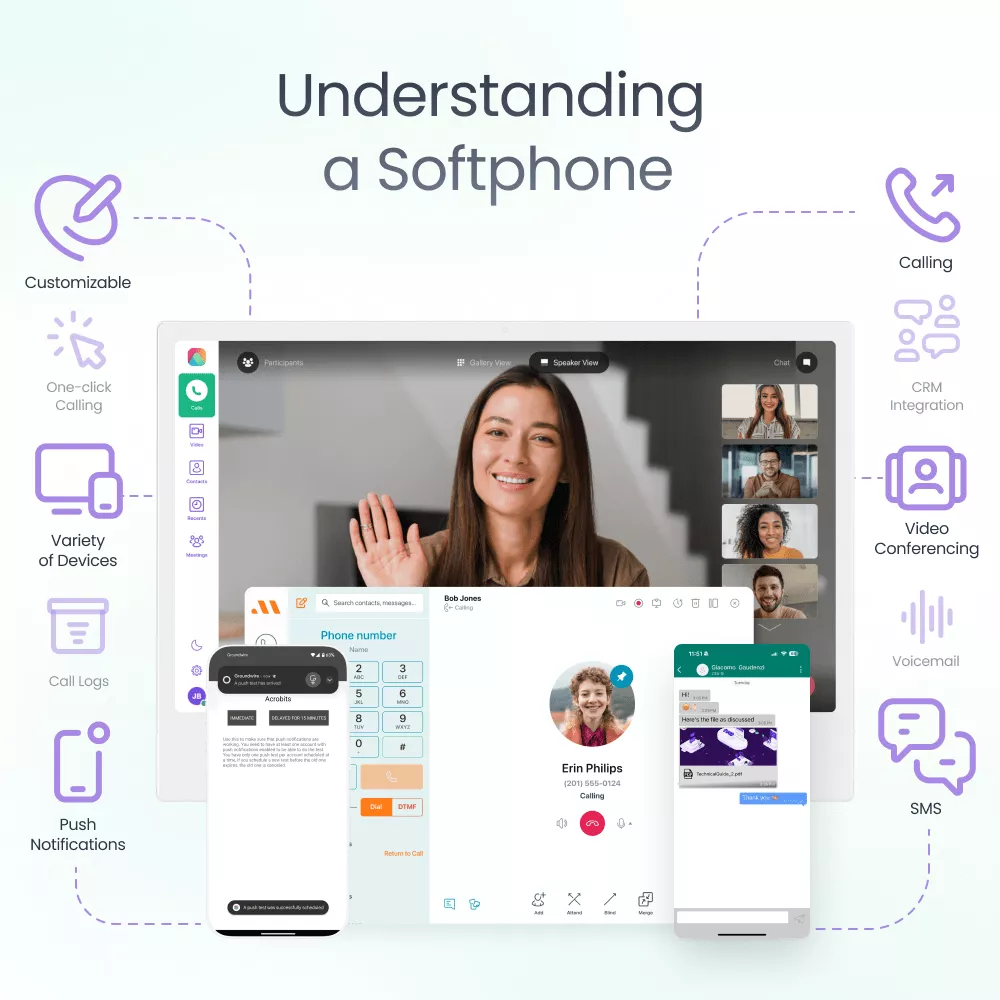
Where traditional desk phones require dedicated hardware, physical connections, and often separate infrastructure, softphones leverage existing devices and internet connectivity. This fundamental difference creates several key distinctions:
- Hardware Requirements: Traditional phones need specific equipment for each user, while softphones use devices you already own, eliminating hardware costs and maintenance.
- Flexibility and Mobility: Desk phones tie users to specific locations, but softphones work wherever you have internet access. Your business number travels with you, whether you're at home, in the office, or on the road.
- Feature Accessibility: Physical phones limit capabilities to what's built into the hardware. Softphones expand functionality through software updates without requiring equipment replacement.
- Scalability: Adding desk phones means physical installation and wiring. Softphones scale instantly, just download the app on another device and sign in.
- Cost Structure: Traditional systems demand significant upfront investment. Softphones typically use subscription models, reducing capital expenses while providing predictable operating costs.
Think of softphones as the digital evolution of desk phones. They turn your existing devices into business phones, letting you make calls from anywhere with internet. For a full breakdown, check our softphone vs hardphones rundown.
How Softphones Actually Work
The Tech Behind the Scenes
Softphones convert your voice into digital packets that travel over the internet. When you speak, the app digitizes your voice, compresses it, and sends these packets to your VoIP provider's servers, which route them to your recipient.
Most of this technology is powered by the Session Initiation Protocol, which we took some time to explain in our complete guide to SIP.
For calls to traditional numbers, the provider translates digital signals to analog format (a.k.a SIP trunking). The entire process happens in milliseconds, creating seamless conversations.
Familiar Interface: Just Like Your Phone App
Despite the complex technology, softphones offer intuitive interfaces similar to traditional phone apps. You'll find the familiar dial pad, call history, and contacts, alongside modern additions like presence indicators and integrated messaging.
This design makes the transition nearly effortless; most users can start making calls immediately without a learning curve, whether on desktop or mobile.
Connecting to VoIP Services
Your softphone connects to a VoIP service provider that routes your calls and manages your phone numbers. Just like mobile carriers offer plans with specific minute allowances or unlimited calling, VoIP providers offer similar subscription plans for your business or personal communications.
Setup typically involves entering your SIP credentials (another buzzword for communication via the internet) into the app, which authenticates your connection and links to your business phone number.
Once configured, the app maintains this connection in the background, handling technical complexities automatically so you can focus on communication.
5 Types of Softphones You'll Find Today
Now that we understand what softphones are, let's explore the main types you'll encounter. Just like cars come in sedans, SUVs, and trucks, softphones have their own categories to suit different business needs.
1. Business VoIP Softphones
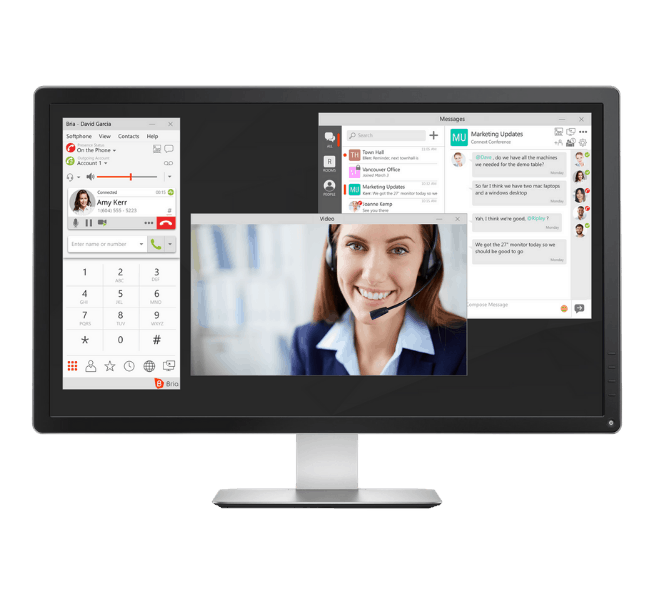
Business VoIP softphones provide reliable voice communication for professional environments. These applications focus on delivering traditional phone system functionality with digital advantages.
Key characteristics:
- Professional call handling (forwarding, transfers, conferencing)
- Voicemail-to-email functionality
- Basic business tool integrations
- Optimized for voice quality and reliability
Products like CounterPath's Bria offer robust features despite their somewhat dated interface. Alternatively, solutions like the Generic Cloud Softphone app offer similar functionality with rich messaging capabilities, integrated CRM, custom web-based content, and more features. This, alongside modern interface options, tiered packages from basic outbound-only calling to full-featured enterprise solutions, and video conferencing capabilities.
These solutions are particularly well-suited for businesses transitioning from legacy phone systems that need reliable voice communication without the full complexity of comprehensive unified communications platforms.
2. White-Label Softphones (Our Specialty)
White-label softphones offer a completely branded communication experience. These platforms allow businesses to create custom-branded apps with their own logo, colors, and user experience, essential for communication service providers or enterprises wanting to maintain brand consistency or resell telco solutions.
Key characteristics:
- Fully customizable interface and branding
- Tailored feature sets to match specific business needs
- API access for deep integrations
- Multi-tenant capabilities for service providers
- Provide flexibility in terms of back-end infrastructure connection
- Compatible with modern softswitch solutions
Acrobits Cloud Softphone exemplifies this category with over 300 customization options. This flexibility allows businesses to create communication solutions perfectly aligned with their brand and workflow requirements, from simple calling interfaces to comprehensive collaboration tools.
If you've been envisioning your own branded communication solution, your ideas can become a reality more easily than you might think. See how your specific requirements could translate into a custom softphone experience.
Build a white label softphone app
Create a custom white-label softphone with Cloud Softphone.
- No devs needed
- Native desktop apps
- 100+ premium features
3. UCaaS Integrated Solutions
Softphones in larger Unified Communications as a Service (UCaaS) suites are parts of broader, integrated communication ecosystems. These aren’t standalone applications, but tools inside enterprise platforms.
In popular UCaaS suites like those offered by RingCentral, Nextiva, or Microsoft Teams, softphone functionality is added to a broader tapestry of communication tools. These softphones serve as the voice and video calling interface within a much larger system.
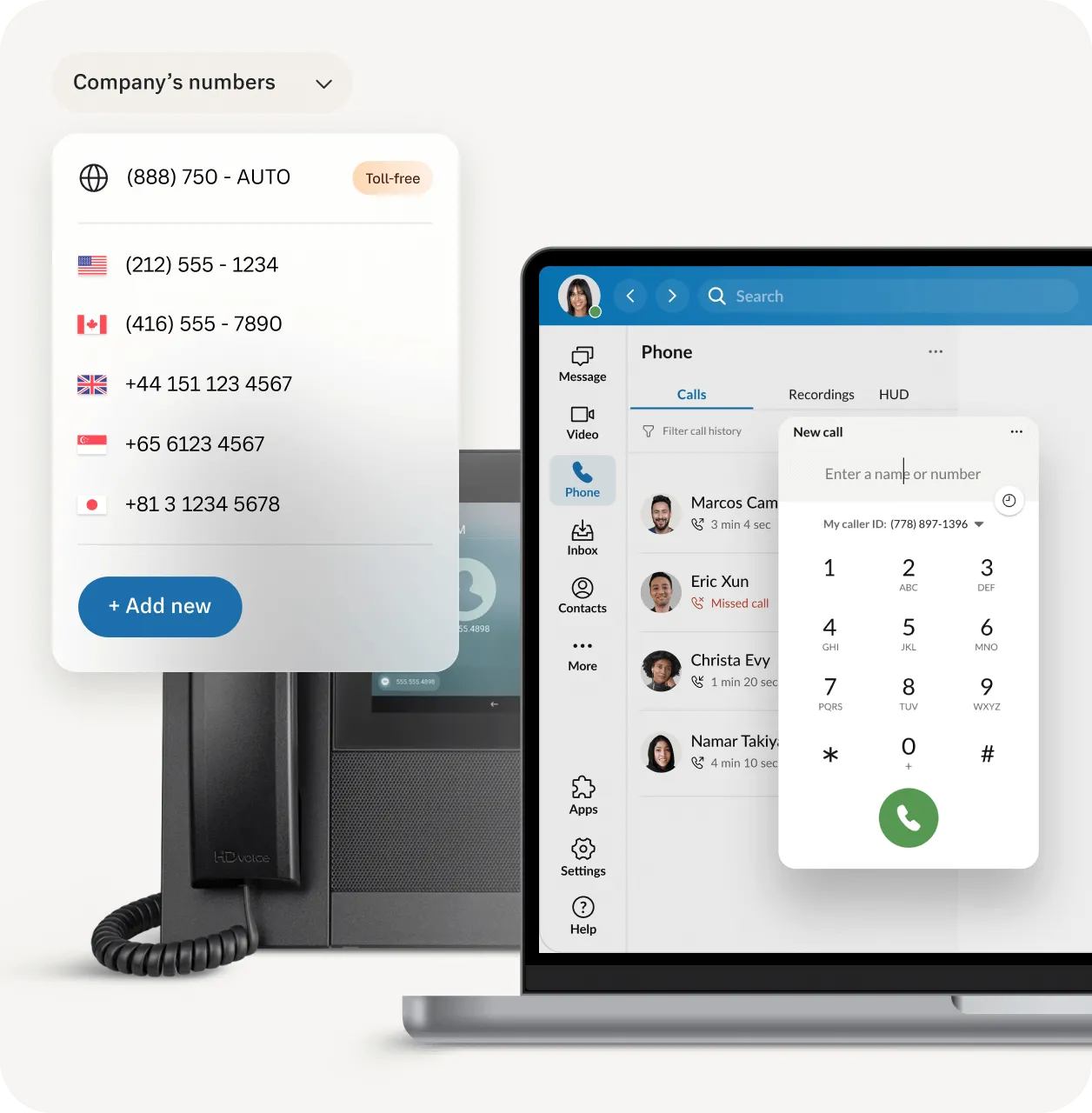
Key characteristics:
- Integrated voice and video calling within a larger UC platform
- Simple switch between communication modes
- Advanced call management tied into the broader system
- Access to extensive collaboration tools from the softphone interface
- Integration with other business software via the UCaaS platform
- Centralized user management and provisioning
- Most include the VoIP service and second numbers
- AI capabilities
UCaaS-based softphones are best for medium to large enterprises requiring a holistic communication solution, such as big call centers. They excel in providing a unified experience where voice calls are just one part of a multi-faceted communication strategy.
Related read
4. Mobile-First Apps
A mobile-first softphone is a business dialer for on-the-go teams. It wakes on push, conserves power, and survives network changes, delivering voice and messaging without forcing users to keep the app open.
Mobile-first softphone apps like Acrobits Groundwire are designed primarily for use on smartphones and tablets. They’re best for businesses with a highly mobile workforce or those embracing BYOD (Bring Your Own Device) policies.
These apps excel in providing a full-featured softphone experience optimized for mobile devices, ensuring employees can stay connected wherever they are. Some use cases include: field sales, on-site support, retail floors, logistics dispatch, telehealth, and on-call engineers.
Capabilities:
Multi-account SIP, HD voice, transfer, park, queues, presence, voicemail, recording, directory sync. Adaptive codecs and jitter control keep calls clear through handoffs and weak coverage.
Key characteristics:
- Optimized mobile interface and battery efficency
- Push notification architecture for reliable call delivery
- Mobile-specific features (like callback requests)
- Integration with mobile device contacts
- Low data usage options
Powerful SIP softphone apps
Ideal for individuals looking for a better SIP softphone experience.
- Lifetime Updates
- Access to 100+ New Features
- Award-winning end-to-end encryption
5. Other Common Types
Beyond the main categories, several specialized softphone types serve specific needs in the communication landscape.
Key varieties:
- Simple VoIP Dialers: Straightforward applications like Zoiper and its alternatives that focus exclusively on basic calling with minimal features
- Open-Source Solutions: Customizable platforms like Linphone for organizations with technical expertise who require complete control
- Residential VoIP Softphones: Consumer-focused applications like Ooma that replace traditional home phone service with internet-based calling
- Vertical-Specific Solutions: Specialized softphones designed for particular industries with unique communication requirements
Each of these alternatives addresses specific use cases where the mainstream softphone categories might not be the perfect fit. Organizations with unique requirements or budget constraints may find these options provide more tailored solutions while still delivering the core benefits of softphone technology.
With the types of softphones clear, what about the actual capabilities that make them worth using? Let's look at the features that give softphones their real-world value.
Features That Make Softphones Useful
Must-Have Communication Features
Calls & Call Management
Modern softphones provide advanced calling features that help manage business communications efficiently while maintaining professional caller experiences.
- Call Transfer - Allows operators to redirect active calls to other extensions or external numbers.
- Call Recording - Records conversations for training, compliance, or quality assurance purposes.
- Call Queuing - Places callers in organized lines when all agents are busy, with wait information.
- IVR Systems - Automated menus that guide callers to departments or self-service options using keypads.
- Push Notifications - Alerts users to incoming calls and messages even when the app isn't active. Acrobits has its own proprietary Local Push technology especially built for this.
Messaging & Rich Media Sharing
Integrated messaging capabilities allow text-based communication and file exchange directly within the softphone application.
- Instant Messaging - Real-time text communication between users within the same organization.
- Group Chats - Text conversations involving multiple participants in shared discussion spaces.
- File Sharing - Ability to send and receive documents, images, and other files during conversations.
- Message History - Searchable archives of past conversations for reference and continuity.
Video Conferencing
Video capabilities enable face-to-face meetings regardless of participant locations. Users can transition from voice calls to video with screen sharing options, accommodating both planned meetings and spontaneous visual collaboration.
Advanced video features include recording capabilities, virtual backgrounds for privacy, and participant management tools that control who can join and what they can share during sessions.
Advanced Functionality
Beyond basic communication tools, modern softphones offer sophisticated capabilities that enhance business operations. Contact management centralizes customer information, call analytics provide insights into communication patterns, and advanced voicemail features streamline message handling.
These tools integrate with business processes to improve efficiency and customer service. Users can access detailed call history, customize voicemail greetings by time of day, and synchronize contacts across devices, all contributing to more professional and responsive business communications.
Integration Capabilities & Security Features
For power users and businesses with complex needs, softphones offer advanced integration and security capabilities that elevate their functionality.
Integration Capabilities: Modern softphones connect with business tools through CRM integrations that display customer information during calls and log interactions automatically.
API support allows developers to create custom connections with internal systems, extending functionality to match specific workflows.
Security Features: Enterprise-grade softphones provide communication security utilizing secure protocols and media encryption that protects calls and messages from eavesdropping. Authentication options like multi-factor verification and single sign-on ensure only authorized users access your business communications while maintaining regulatory compliance e.g., HIPAA. For a telecom-specific implementation example, see carrier-grade compliance in practice.
Why Businesses Choose Softphones
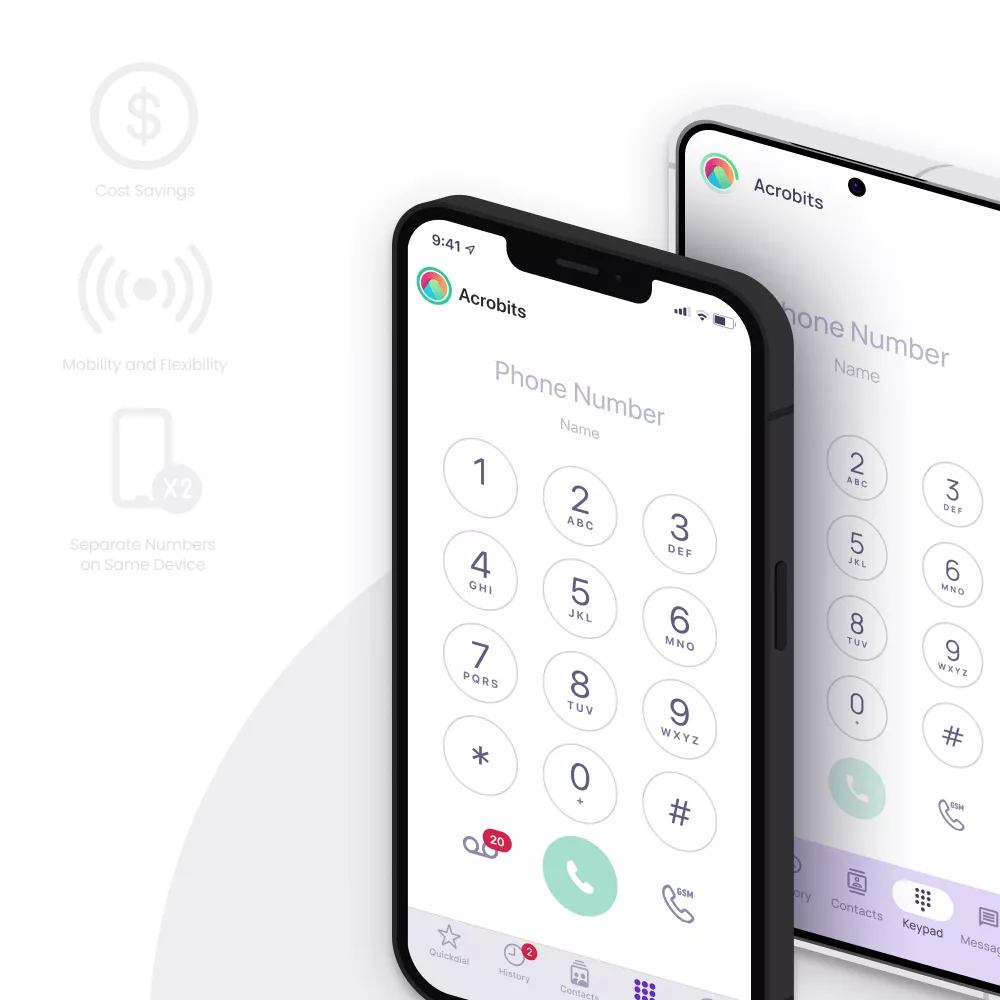
Technical features aside, what's the bottom line for businesses? Let's explore the practical reasons organizations are embracing softphones in their day-to-day operations.
Saving Money (The Numbers)
Companies typically reduce phone costs by 40-60% when switching to softphones. Without expensive hardware to purchase and maintain, businesses save on equipment, installation, and ongoing maintenance. Startups can slash communication costs by up to 90% by avoiding traditional phone infrastructure entirely.
Working from Anywhere
Softphones untether your team from physical desks. Whether responding to customer calls from home or taking meetings while visiting clients, your phone number and capabilities travel with you. This mobility remains valuable in our hybrid work world.
Growing Without the Growing Pains
With softphones, onboarding new team members takes minutes; just create an account, share login credentials, and they're connected. This scalability works both ways; you can easily adjust capacity during seasonal fluctuations.
Making Work-Life Balance Possible
Softphones help maintain boundaries between personal and professional life, even on the same device. Team members can handle business calls without sharing personal numbers, and can set business hours when calls automatically route to voicemail, are forwarded to somebody else, or handled in other ways, so no customer call or request goes unanswered.
Alternatives to Teams (Not Everyone's a Fan)
While Microsoft Teams is popular, many organizations need alternatives. Some find Teams overly complex or expensive for simple calling needs. Others require different compliance capabilities or prefer streamlined interfaces focused on voice communication.
Customization for Your Brand
White-label softphones serve multiple needs: service providers can resell branded communication solutions, businesses can offer apps with their own logos and colors, and organizations can create custom communication suites tailored exactly to their workflow, all maintaining consistent brand identity at every touchpoint.
Related article:
Industry-Specific Needs
Various industries have unique communication requirements that general-purpose tools can't address, from healthcare needing HIPAA compliance to financial institutions requiring specialized security protocols.
Softphones in 2025: What's Changed
With a world accelerating at breathtaking speeds, it's expected that softphones have seen major transformations: AI, the arrival of 5G, quantum threads, and more. Let’s explore how softphones are changing.
Enhanced Security and Privacy
Security has become a cornerstone of modern softphone design, with providers implementing multiple layers of protection to safeguard business communications.
- Post-quantum encryption future-proofs communications against emerging quantum computing threats.
- Premium encryption tiers offer advanced security options for users with heightened privacy requirements.
- Biometric authentication uses fingerprint or facial recognition to prevent unauthorized access.
- STIR/SHAKEN protocols reduce spam calls by verifying caller identity before the phone rings.
Smarter, AI-Driven Features
Artificial intelligence is here to stay, and softphones are no exception. We went from simple calling tools to intelligent communication assistants.
- Real-time transcription converts conversations to searchable text while calls are in progress.
- Automated meeting summaries extract key points and action items from calls without manual note-taking.
- Context-aware call routing directs calls to the most appropriate recipient based on relationship history and availability.
Improved Audio and Call Quality
Technical advances have eliminated many traditional pain points associated with internet-based calling.
- Enhanced noise suppression filters out background sounds automatically, creating crystal-clear conversations anywhere.
- 5G integration leverages high-bandwidth, low-latency connections for superior call stability and quality.
Flexible and Modular App Design
Today's softphones adapt to specific business needs rather than forcing users to conform to one-size-fits-all solutions.
- Feature modularity allows businesses to add or remove capabilities based on their unique requirements.
- Custom workflows enable tailored communication processes for different departments or industries.
Simplified Provisioning and Setup
Technical barriers that once limited softphone adoption have been largely eliminated through user-friendly setup processes.
- QR code provisioning enables instant setup by scanning a code rather than entering complex SIP credentials.
- SMS verification streamlines authentication for new users, reducing IT support requirements.
- Provisioning/magic link can provision an app with a single press of a button
- Custom web-based initial screen/wizard offers limitless possibilities to customize and foolproof the initial provisioning process for the end user
Web-Based and Multi-Device Access
Softphones now incorporate web functionality directly into their interfaces through features like Web Tab Views, while ensuring consistent experiences across all user devices.
- In-app web tabs integrate support resources, company websites, and third-party services without switching applications.
- Cross-device synchronization maintains a consistent experience when moving between smartphone, tablet, and desktop.
Finding the Right Softphone for You
Now that we've seen where softphones are headed, let's focus on how to choose one today.
Understanding What You Actually Need
Before choosing a softphone, assess your communication requirements. Consider call volume, team size, needed features, and growth plans. A small team might need simple calling capabilities, while customer service operations require more advanced features.
Working With Your Existing Infrastructure
Organizations without existing phone systems can adopt turnkey SaaS softphone solutions that deploy quickly without technical complexity.
Legacy Systems Compatibility: If you've invested in PBX or other traditional systems, look for softphones that integrate with existing infrastructure to preserve your investment while adding modern capabilities.
On-Premises vs. Cloud Considerations: On-premises deployment offers control and customization but requires technical expertise. Cloud solutions provide accessibility and simplified management with minimal IT overhead.
What to Look For
| Factor | Key Considerations |
| Cost | Per-user pricing, setup fees, included minutes, support costs |
| Features | Core needs vs. nice-to-haves, mobile capabilities, UC integration |
| Integration | Compatibility with CRM, helpdesk, workflow tools you already use |
| Security | Encryption standards, compliance certifications, authentication options |
| Scalability | Ease of adding users, handling call volume increases, feature expansion |
Getting Started Without the Headaches
For individuals and small teams needing reliable business calling capabilities, Groundwire offers a straightforward solution with professional features.
For organizations requiring a customizable, scalable communication platform that grows with your business, book a demo for Cloud Softphone to see how it can be tailored to your specific requirements.
Build a white label softphone app
Create a custom white-label softphone with Cloud Softphone.
- No devs needed
- Native desktop apps
- 100+ premium features