At Acrobits, we've never been good at standing still. Ever since we developed the first mobile VoIP application to appear on iTunes and Google Play, we've been looking for new ways to enhance our customer offerings.
Always with One Goal in Mind
Creating new opportunities to make our applications more compelling and the user experience more engaging.
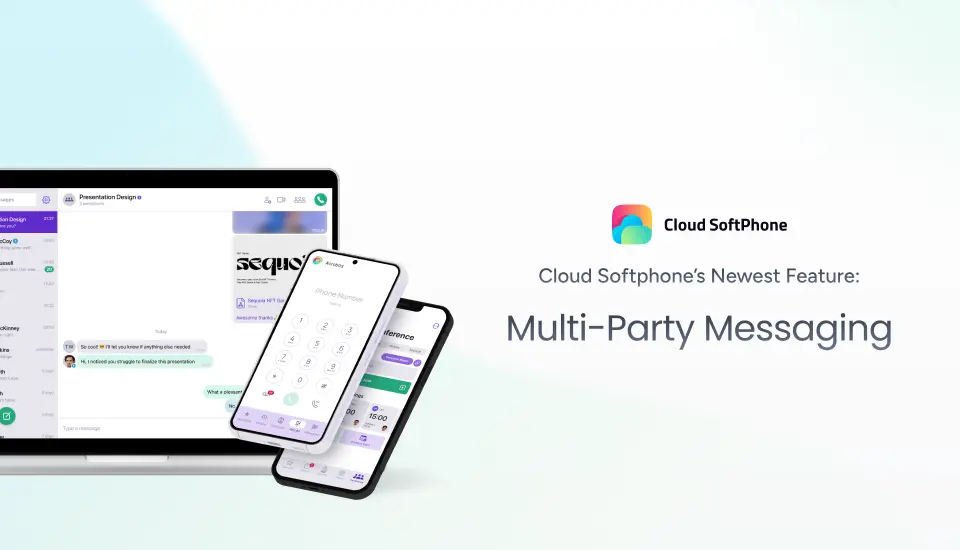
That’s why we’re excited to reveal the latest turnkey feature now available in Cloud Softphone: Multi-Party Messaging — or as we like to call it — LinkUp Messaging.
What is LinkUp Messaging?
LinkUp Messaging seamlessly integrates with Cloud Softphone customers, making it easy to add team-wide collaboration to your app.
| Are you an active Cloud Softphone customer?
You can add LinkUp Messaging to your app in a few clicks. |
If you are not a Cloud Softphone customer:
You can add LinkUp Messaging to most of our bundles. |
Wanna see how Multi-Party Messaging works?
Book a Demo with our team. |
Here are a few ways Multi-Party Messaging enables company-wide collaboration:
Create Group Chats
With Multi-Party Messaging, users can create any number of named group chats with up to 99 users per chat. Each chat supports all the functionality you'd expect from Cloud Softphone.
That means group members can text and chat easily while being fully protected by our enterprise-grade security. Rich messaging for our group chats includes emojis, reactions, and the ability to edit or delete messages after they've been sent.
Share All Types of Multimedia
Users can also share files, photos, and videos. They can send voice memos, too. And everything is synced seamlessly across devices to support remote collaboration from anywhere, anytime.
Track Group Chat Users
Members can see who else is in a group chat, including details such as contact information. You can even hide group chats from appearing in their list without leaving the group.
Group Collaboration Made Easy
Of course, none of this would matter if the feature wasn’t easy to use — which is why we've designed our Multi-Party Messaging to be as intuitive as possible. Navigation requires only a few clicks or taps.
Supports Your Branding
Best of all, this is all brought together in a fully white-label softphone solution. That means your organization can customize almost everything about how the software looks, from color and layout to branding.
Whether you're using the software to support internal collaboration or distributing it to your customers, you can make Cloud Softphone your own.
Build a white label softphone app
Create a custom white-label softphone with Cloud Softphone.
- No devs needed
- Native desktop apps
- 100+ premium features
Make Collaboration Easy. Switch to Cloud Softphone Today
There aren't many options available in the enterprise messaging space — especially with Microsoft deciding to sunset Metaswitch. How are you planning to navigate this change?
Not interested in making the switch to Microsoft Teams? Cloud Softphone is just one of the many ways we deliver a feature-rich, in-house unified communication experience. Multi-Party Messaging is just the beginning as we build our roadmap.
We have many other plans for both Cloud Softphone and our broader product portfolio, ranging from new features and functionality to finding innovative new uses for artificial intelligence.
As always, we're constantly exploring the best ways to implement new innovations into our software. So, stay tuned because there's a lot more yet to come.
Want to see multi-party messaging or one of Cloud Softphone's other features in action? Book a demo today.