
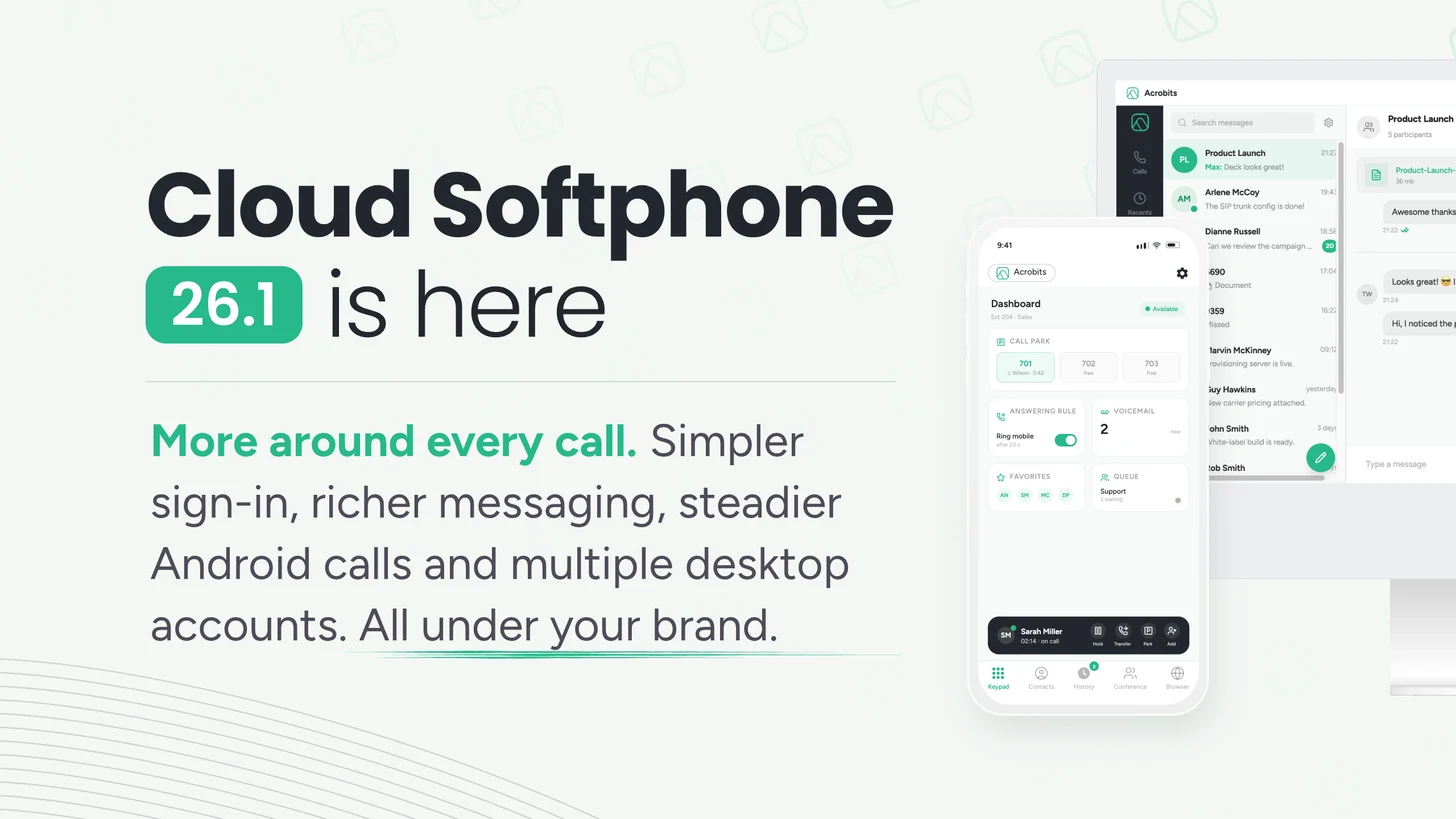
Cloud Softphone 26.1 is out on iOS, Android, Windows and macOS. The build is ready in the Cloud Softphone Portal for your app, and here is what it brings.
Six changes land, and they follow a pattern Acrobits has kept for eighteen years: improve everything around the call, keep the call itself solid. Signpost, the in-app PBX controls, web integrations and MMS grow what surrounds the call. Android Telecom hardens the call itself. And the desktop client now can carry several accounts at once.
- Signpost multi-backend login. One branded binary routes users to NetSapiens, MetaSwitch, or a direct-login SIP environment.
- Acrobits Softphone Dashboard, for NetSapiens. Call Park, answering rules, contacts, caller ID and voicemail settings live inside the branded app, in a UI the provider shapes.
- Android Telecom integration. VoIP and cellular calls coexist, with a new per-device compatibility test picking the audio strategy.
- Multi-account for desktop. Several SIP accounts in one SIP client for users carrying more than one business identity.
- Deep web integrations. Embedded CRM and AI tools see the call through IPC and control it through Functions, and desktop keeps the user in place.
- Linkup Messaging MMS. Images and file attachments on the Sinch and Bandwidth integrations that already carry SMS.
Signpost multi-backend login: one app across NetSapiens, MetaSwitch or any compatible SIP platform
26.1 introduces Signpost, one web sign-in page for every backend behind a branded app. The user signs in once. Signpost checks the credentials with the provider, or takes a direct login, finds the backend the account belongs to, and hands the app what it needs to finish setup.
The provider decides what the page shows: Microsoft or Google sign-in, multi-factor authentication, account or environment selection, QR scanning and branding. A Messaging Web login path is in development.
One binary, one store listing and one release track now cover every platform behind the page. One build carries the operator through a migration, an acquisition or a standardization push.
What that enables a carrier to do
- Run several service environments behind one brand and one download, on an Open Whitelabel Bundle configured for multiple cloud IDs.
- Stage a backend migration while every user keeps the same way in. Accounts move on the provider's schedule.
- Put acquired networks or separate populations behind a common login, each keeping its own backend and accounts.
- Offer SSO or password sign-in where the platform supports it. Microsoft and Google sign-in apply to configured NetSapiens environments today.
Validated login covers NetSapiens, MetaSwitch and compatible SIP platforms, mixed deployments included. Support sets the environments up per tenant. Operators on their own External Provisioning keep the direct path through a Cloud Softphone cloud ID, and BroadSoft deployments carry on through Provisioning Proxy.
Softphone Dashboard for NetSapiens: answering rules, Call Park and voicemail in the app
The Acrobits Softphone Dashboard is a provider-branded workspace inside Cloud Softphone, launching on NetSapiens. Tiles, branding, deep links and web links stay under provider control.
Without leaving the app, a user can
- Park a call and retrieve it, with live Call Park status showing which slots are taken.
- Edit Answering Rules in place.
- Browse and maintain NetSapiens contacts and favorites.
- Set caller ID and voicemail options.
- Hold, resume, end, park and retrieve the call in progress.
Dashboard launches on NetSapiens, and further platforms follow as their integrations mature. Support switches it on per cloud, tied to the cloud ID, and the app confirms it at runtime for each user, so a provider can pilot with one tenant before enabling a whole cloud.
Contacts and synchronized call history come with the base NetSapiens setup. Messaging synchronization is an optional per-domain setting, with setup in the NetSapiens Cloud Softphone configuration guide.
Coming soon to the Dashboard: number blocking and call center features, both for NetSapiens. Call center is the addition many providers are waiting for.
Android Telecom integration: steadier calls alongside cellular, Bluetooth and Android Auto
Cloud Softphone 26.1 integrates with Android Telecom. VoIP and cellular calls coexist, and the app holds audio and Bluetooth ownership. Incoming calls take the full screen, notifications carry the controls, and audio routing uses the current Android APIs for speakers, headsets, Bluetooth and Android Auto.
Built to hold the call steady
Most of the engineering went into keeping the call steady once Android has a say in it. A live call can still shift under the app: a new audio endpoint, a Bluetooth headset connecting or dropping, a cellular call cutting in, the SIP side changing what the call carries.
The integration absorbs each one and keeps the call up. We validated it across more than 50 Android devices.
One compatibility test per device
The app tests each device once and saves the audio routing that works on it. Should the Android system lose the audio during a call, the app switches to its own routing for that call and retries the system route next time. Calls behave the same across every Android model in a BYOD fleet.
Android 8.0 or later gets the full Telecom integration. A device that fails the check runs on compatibility routing. Google Play Services are required.
Several SIP identities in one desktop client
One desktop client now carries several SIP accounts. The user sets a default, and calling, messaging, voicemail, DND, notifications, callbacks and headset handling follow the active identity. Answer, mute and hang-up land on the right account on their own.
For MSPs and multi-tenant operators, that means one install and one deployment profile per workstation. Desktop only, enabled per deployment in provisioning, which also sets the account limit. Cloud services such as Linkup Messaging follow the deployment and default-account configuration.
In-app number rewriting on desktop
Number rewriting now lives in the app. Administrators define rules, test them in place and drag to reorder priority, so dialing behavior changes per deployment without a new build. The desktop client also gains keyboard shortcuts for call handling, a running conference timer, and a web tab of the operator's choice open at start.
Deep web integrations: your CRM and AI tools inside the softphone
A CRM or AI tool embedded in Cloud Softphone now works with the call from start to finish. Many providers already run one in a web tab, and the building blocks are all in place:
- Web tabs see the call. The IPC protocol tells an embedded page which calls are in progress, so a CRM can show the caller's record while the phone rings.
- Functions control the call and start workflows. Functions answer, hold, mute, record and hang up, send a web request or open a page, alone or chained.
- They start where the user is: from a web tab, the native call screen or the app home screen.
On desktop, 26.1 keeps the user where they are. Controlling a call from a web tab, another tab or a headset leaves the screen as it is, the way mobile has worked since 25. The building blocks run on mobile and desktop alike.
MMS on the Sinch and Bandwidth gateways already in place
MMS rides on the Sinch and Bandwidth integrations that already carry SMS. Media handling stays secure and provider-aware, and each gateway keeps its own attachment size limit.
Subscribers send images and files on the contracts and numbers the operator already holds. It assumes Linkup Messaging with an existing Sinch or Bandwidth gateway account, on numbers and plans that support MMS.
Also in 26.1
Beyond the six, the changelogs carry 51 fixed lines across the three platforms, 33 of them on desktop. Additions worth knowing:
- Slovenian joins the languages.
- Fixes in call handling (hold, conference, merged calls), audio routing (Bluetooth, AirPods, CarPlay, Android Auto, hearing aids), messaging, call history, voicemail and contact sync with Microsoft 365 and Google.
- Speed. Large contact lists, contact pictures and app start are faster on every platform.
What ships with the client, and what switches on per cloud
Signpost, Android Telecom, multi-account desktop and number rewriting arrive with the 26.1 client. Dashboard and Linkup Messaging switch on per cloud, on the operator's configuration rather than the release calendar.

Request the build, then build on it
26.1 is in the Portal for your app today. Request the build, release it under your brand or let us publish it for you, then tell Support which per-cloud pieces to switch on: Signpost, multi-account on desktop, the Dashboard, MMS.
From there the products are yours to shape: one app carrying a brand across backends, a Dashboard that grows a new workflow without a release, pictures in messaging on contracts already signed.
Build the one your customers have been asking for, and tell us what to make room for next.
Powerful SIP softphone apps
Ideal for individuals looking for a better SIP softphone experience.
- Lifetime Updates
- Access to 100+ New Features
- Award-winning end-to-end encryption